

MSME Registration Form
The MSME Registration Form is the online application used to register eligible businesses under the Udyam Registration system in India. By completing the form correctly, businesses can obtain MSME recognition and access various government benefits, schemes, and financial support.
MSME REGISTERATION ONLINE FORM
READ THE INSTRUCTION TO FILL MSME REGISTRATION FORM
1.Aadhaar Number: Fill 12 digit Aadhaar number issued to the applicant in the appropriate field.”यहां 12 अंकों का आधार नंबर भरें।”
2.Name of Applicant: Fill name of Applicant as mentioned on the Aadhaar Card.”आधार कार्ड में उल्लिखित आवेदक का नाम भरें।”
3.Type of Organization: Select the type of organization from the given options which will get printed on MSME Certificate.
“दिए गए विकल्पों में से संगठन के प्रकार का चयन करें।”
4.PAN: Fill 10 Digit PAN Number in case of Limited Liability Partnership / Co-operative / Private Limited / Public Limited. PAN Number is optional in case of Proprietorship Firm / Hindu Undivided Family / Partnership Firm / Self Help Group “यहां बिजनेस पैन का उल्लेख करें। प्रोप्राइटरशिप के मामले में प्रोप्राइटर का पैन उल्लेख करें।”
5.Mobile No : Fill the correct Mobile Number of Applicant.”आवेदक का सही मोबाइल नंबर यहां लिखें।
6.Mail ID : Fill the correct Mail ID of Applicant. “यहां अपनी सही ईमेल आईडी का उल्लेख करें।”
7.Social Category: Select the Social Category of applicant from the given options.”आवेदक की सामाजिक श्रेणी का चयन करें।”
8.Gender: Select the gender from provided option”आवेदक का लिंग चुनें।”
9.Physically Handicapped: Select the status from provided options
“चयन करें कि आवेदक शारीरिक रूप से विकलांग है या नहीं।”
10.Name of Enterprise / Business: Fill the name of Business / Enterprise which will get printed on MSME Certificate.”यहां अपने व्यवसाय के नाम का उल्लेख करें। यह नाम MSME प्रमाणपत्र पर मुद्रित किया जाएगा।”
11.Location of Plant : Please fill the location address properly
“दिए गए क्षेत्रों में ठीक से विनिर्माण सुविधा का पता लिखे |
(i) State Name / राज्य का नाम
(ii) District Name / जिले का नाम
(iii) Pin Code / पिन कोड
12.Office Address : Please provide office address, if address other than plant location.”दिए गए क्षेत्रों में ठीक से आधिकारिक पता लिखे |”
13.Date of Commencement of Business : Fill the date of Commencement of Business which will get printed on MSME Certificate. “व्यवसाय शुरू करने की तारीख का उल्लेख यहां करें।”
14.Major Activity of unit : Select the Major Business activity from the given options.”अपनी मुख्य व्यावसायिक गतिविधि चुनें।”
15.Additional details about Business : Fill Additional details about business. (For example manufacturing of Food Products, Computer programing, Software development)”व्यवसाय के बारे में अतिरिक्त जानकारी भरें।”
16.Number of employees : Fill total number of people been employed.”आपके संगठन में कार्यरत कर्मचारियों की संख्या का उल्लेख करें।”
17.Investment in Plant & Machinery / Equipment : Fill the total investment made in Plant, Machinery, and Equipment etc. to start your business.”अपने व्यवसाय में किए गए निवेश की कुल राशि भरें।”
18.Total Turnover : Fill the total turnover of the financial year. “वित्तीय वर्ष का कुल कारोबार भरें|”
19.Number of employees : Fill total number of people been employed.”आपके संगठन में कार्यरत कर्मचारियों की संख्या का उल्लेख करें।”
20.Investment in Plant & Machinery / Equipment : Fill the total investment made in Plant, Machinery, and Equipment etc. to start your business.”अपने व्यवसाय में किए गए निवेश की कुल राशि भरें।”
21.Total Turnover : Fill the total turnover of the financial year. “वित्तीय वर्ष का कुल कारोबार भरें|”
Follow Steps for MSME Registration Online
1> Fill MSME Registration Form
For the initial process of your business, fill out all the required documents Correctly in the msme registration form
2> Completed the Payment Process Online
Make your payment securely with just a few clicks. Fast, safe, and hassle-free
3> Team will Work on Application
Our expert team will contact you and carefully process your msme application by asking for some details.
4> Receive Certificate in Email
Once Udyam Registration is approved, the certificate is sent directly to your provided email address, which you can easily download
Documents Required for MSME Registration
Aadhar & Pan Card
Bank Account Details
Business Details
About MSME Registration Form
The MSME Registration Form is the application form used by eligible businesses to register under the Udyam Registration system in India. It allows Micro, Small, and Medium Enterprises to obtain official recognition and access various government benefits such as loans, subsidies, tenders, and support schemes. Registering through the form helps improve business credibility and creates more growth opportunities.
The form requires important business and applicant details such as Aadhaar number, PAN number, business name, type of organization, address, date of commencement, bank details, employee count, and business activity. Applicants must ensure that all information entered is accurate and matches official documents to avoid delays or verification issues during the registration process.
Once the form is completed and submitted successfully, the business can receive an MSME / Udyam certificate with a unique registration number. This certificate can be used for official purposes like bank loan applications, government tenders, scheme benefits, and business verification. Filling the MSME Registration Form correctly is the first step toward securing MSME recognition for your enterprise.
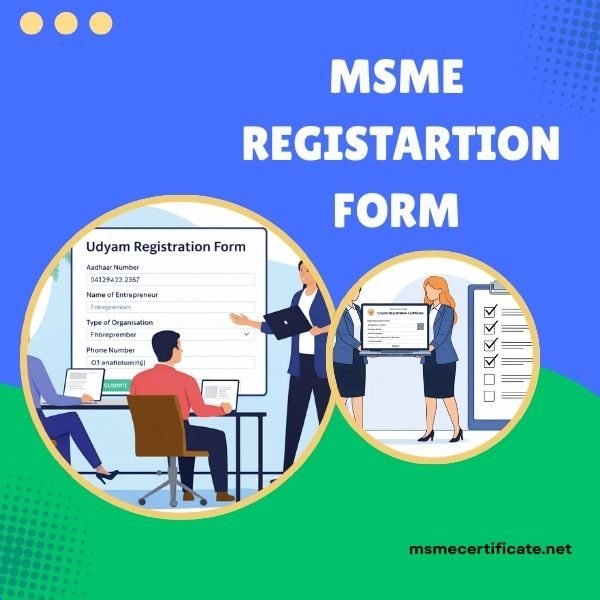
Key Details in MSME Registration Form
Applicant Aadhaar Number
Enter Aadhaar number of the proprietor or authorized signatory and complete OTP verification.
Name of Applicant
Enter the name exactly as per Aadhaar records.
PAN Number
Provide PAN details of the business entity or proprietor.
Business Name
Enter the legal name of your enterprise.
Type of Organization
Select Proprietorship, Partnership, LLP, Private Limited Company, etc.
Business Address
Enter complete office or plant address.
Mobile Number & Email ID
Provide active contact details for communication.
Date of Commencement
Mention the date when business operations started.
Major Activity
Choose Manufacturing, Services, or eligible Trading category.
NIC Code
Select the correct NIC Code based on business activity.
Number of Employees
Enter total persons employed in the business.
Bank Details
Provide account number and IFSC code.
Investment & Turnover
Enter applicable investment and turnover details as required.
FAQ On MSME Registration Form
What is MSME Certificate Registration?
MSME Registration Official government Certificate for MSMEs to get benefits, subsidies, and recognised in India. It is completely online. It is also known as Udyam Registration.
How long does MSME Certificate validi?
MSME Certificate is valid for Lifetime
Can a business have multiple MSME Certificate?
No, MSMEs Cannot Have Multiple MSME Cannot have multiple udyam registration certificate
Is GST required for MSME Regestration?
No, GST is Not Mandatory for MSME Registration.
Is Aadhaar mandatory for MSME Registration Certificate?
Yes, Aadhar is Mandatory for MSME Registration.
Can traders opt for MSME Registration?
Yes, traders can also register under MSME.
